
RBT application processing time is a live administrative estimate, not a permanent promise: the BACB updates its processing page with the submission dates currently under review.
Table of Contents
- What the processing table actually tells you
- RBT application processing time: read the live queue
- Choose the correct application row
- Submit a complete application
- Check document versions
- Understand action items and resubmissions
- Monitor the portal and email
- Common timeline mistakes
- Frequently asked questions
- References
RBT APPLICATION GUIDE · ADMINISTRATIVE TIMELINES
RBT Application Processing Time: How to Read the Current BACB Queue
Use the live BACB processing table, identify the right application type, and avoid preventable delays while you wait.
RBT application processing time is a live administrative estimate, not a permanent promise. The BACB updates its Application Processing Updates page with the submission dates currently under review, so the official page—not an old screenshot or a third-party estimate—is the right place to check.
This guide explains how to read the queue and prepare a clean submission. It does not predict your approval, determine whether your documents meet the requirements, or replace the current RBT Handbook and BACB portal instructions.
What the processing table actually tells you
The BACB says applications are processed in the order received. Its live page shows a “Reviewing Submissions From” date for different application types. That date is a queue snapshot: it helps you understand which submission dates staff are currently reaching, but it is not a guarantee that your application will be approved on a particular day.
A review date also does not answer every question. It does not tell you whether your documents prove eligibility, whether an action item will be issued, whether your application will be approved, or when you will schedule an examination. Those outcomes depend on the application and the current requirements.
When this article’s research checked the official page on September 25, 2026, the RBT certification and RBT recertification rows showed September 24, 2026 as the review date. That is a dated example only. Open the live page before relying on any timeline.
RBT application processing time: read the live queue
Use this five-minute routine:
- Open the official BACB Application Processing Updates page.
- Check the page’s “Updated” date.
- Find the row for RBT Certification Applications or RBT Recertification Applications.
- Compare the posted reviewing date with the date your complete, paid application or resubmission was received.
- Read the notes below the table before contacting the BACB or sending anything again.
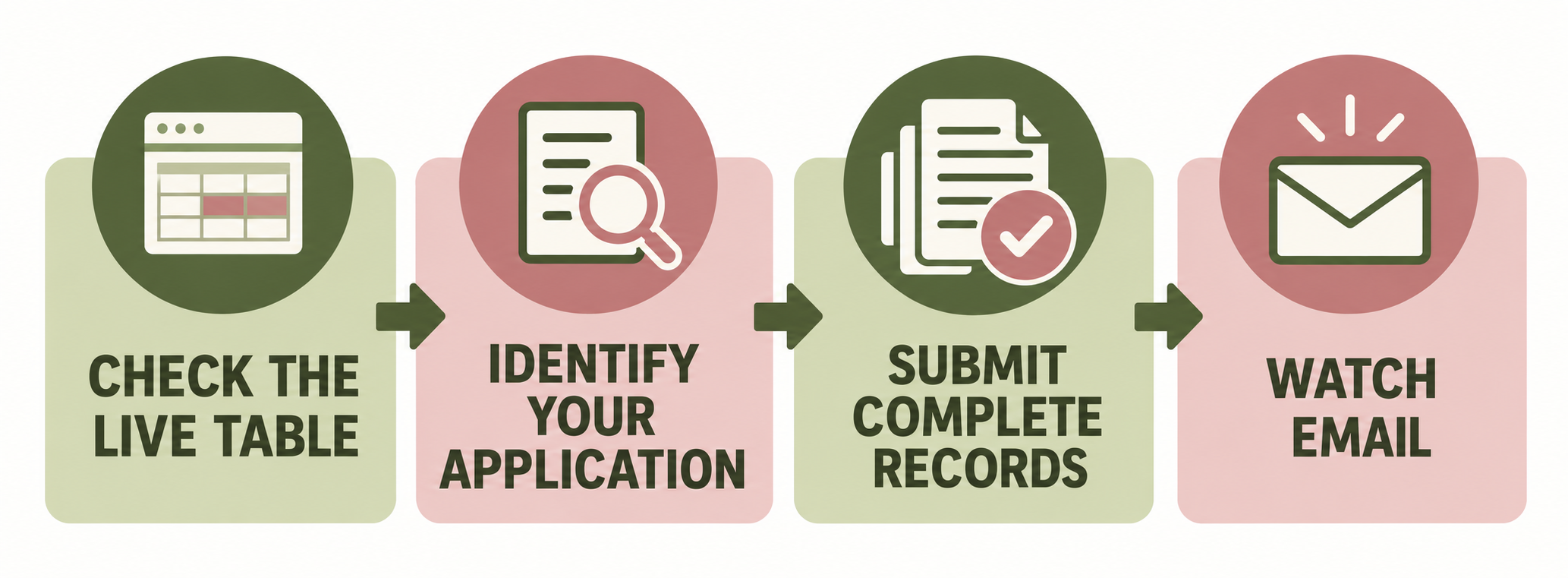
If the queue date has not reached your submission date, waiting may be the expected next step. If the queue date has passed your date by a meaningful margin, first check for an email, portal message, missing payment, or action item before submitting a Contact Us request.
Choose the correct application row
The page separates at least three categories that readers often mix up:
- RBT Certification Applications: an initial certification application.
- RBT Recertification Applications: a renewal application for an existing RBT certification cycle.
- Action-item resubmissions: documents sent again after BACB feedback, which are reviewed in the order received according to the page’s instructions.
Use the category that matches the record in your BACB portal. A training provider, employer, or supervisor may help you prepare, but the applicant owns the portal account and should verify which application was actually submitted.
Submit a complete application
Processing time starts to matter only after the application is actually submitted and the required payment and documents are present. The current RBT Handbook describes the application steps and required documents for the applicable process. The BACB’s application tips also warn that missing, incorrect, or unclear materials can cause delays because review may begin again after resubmission.
Before submitting, compare your checklist with the current handbook:
- Is the application in the correct portal section?
- Are every required document and attestation attached to this application?
- Does the name on each document match the account, or have you completed the current name-change process?
- Are the forms readable, complete, signed where required, and based on the current version?
- Is payment complete and associated with the application?
- Can you access the personal email address connected to the BACB account?
Do not submit a rushed application simply to enter the queue. A faster submission with missing evidence can create a longer overall timeline than a complete submission made after a careful review.
Check document versions
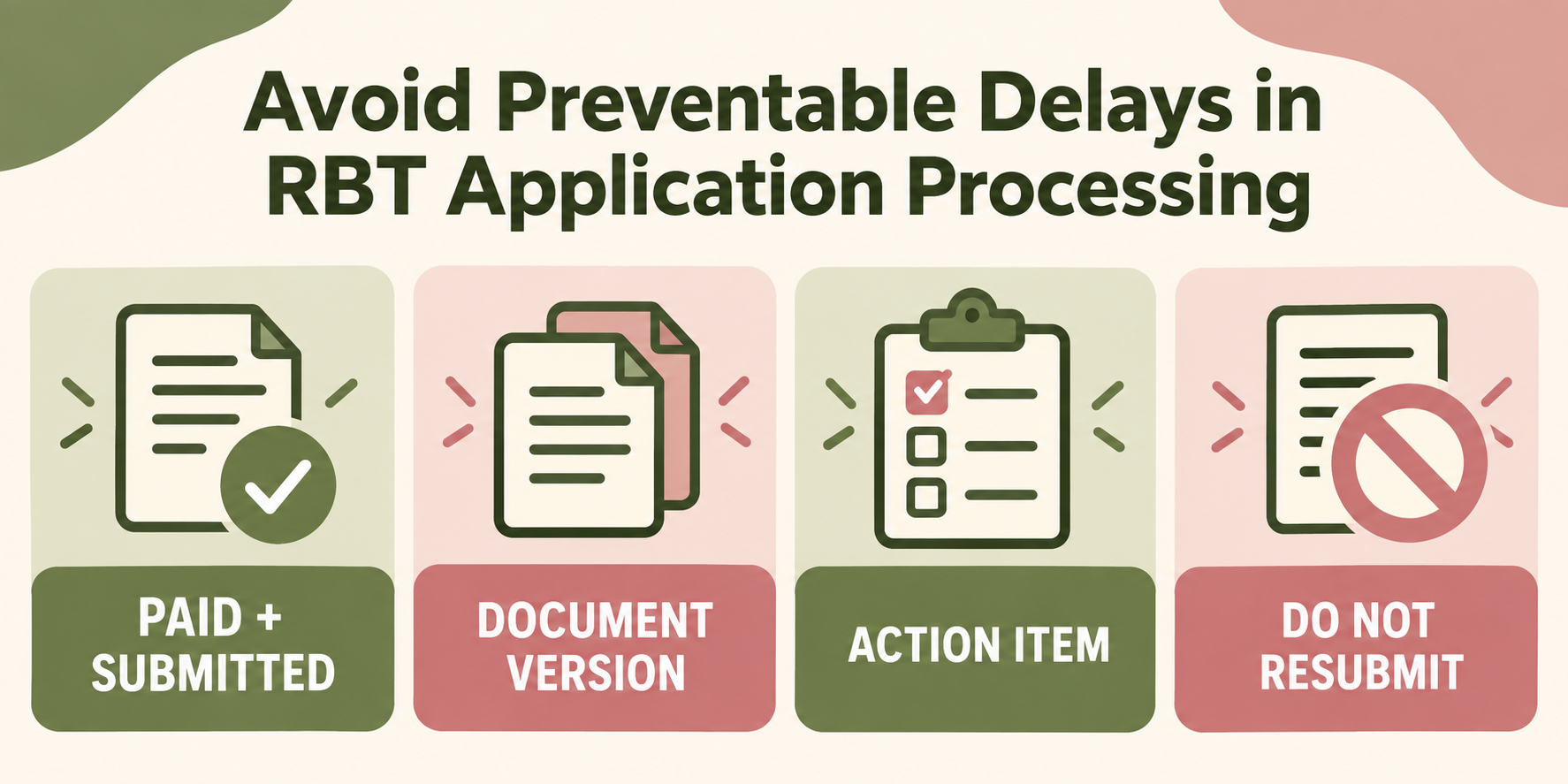
The Application Processing Updates page includes a document-version table. When checked on September 25, 2026, the RBT rows listed the Initial Competency Assessment Packet as 1/2026, the RBT Certification Attestation Form as 3/2025, and the RBT Recertification Competency Assessment Packet as 8/2025.
Use those dates as a dated snapshot, not a permanent replacement for the live page. Before uploading, compare the form name and version against the current BACB table and the handbook that applies to your application. A document can look complete and still be the wrong version for the process.
Understand action items and resubmissions
If the BACB asks for clarification or a replacement document, read the action item carefully and submit only what the instruction requests through the approved portal route. Record the date you resubmitted. The live page says action-item resubmissions are reviewed in the order received, so that date becomes the relevant queue date for the resubmitted material.
Do not upload the same file repeatedly while waiting, send duplicate email attachments, or start a second application to ask for an update. The BACB Contact Us guidance says applicants waiting for feedback should not resubmit documentation unless instructed because doing so can cause delays.
If you believe a document was rejected in error, use the current handbook and administrative-appeal instructions rather than trying to solve the issue by creating duplicate records.
Monitor the portal and email
The application process depends on communication. Create the BACB account yourself, use a personal email address you will keep, add bacb.com to your safe-sender list, and check spam folders. Keep your profile information current.
When you receive a message, save the date and action requested. A queue page may show that staff are reviewing submissions near your date, but your email or portal action item is the source for your individual next step. If the application is approved, follow the official instructions for the next stage; if it is not approved, read the feedback and current reapplication or appeal process.
Common timeline mistakes
Using a cached date: the queue changes, so check the official page’s update date.
Reading the wrong row: initial certification, recertification, and action-item resubmissions are not interchangeable.
Counting from training completion: processing begins with the complete application and payment, not simply the day a course ended.
Resubmitting while waiting: duplicate documents can create delays unless the BACB asks for them.
Ignoring document versions: use the live version table and current handbook.
Frequently asked questions
How long does an RBT application take?
The BACB publishes a live reviewing-submissions date rather than a permanent guarantee. The current handbook may describe a standard processing expectation, but missing documents, action items, and queue changes can affect the real timeline.
Where should I check RBT application processing time?
Use the official BACB Application Processing Updates page and read the current update date and the row that matches your application.
Does an action item reset the application queue?
Use the BACB page’s current instructions. It states that resubmitted documents are reviewed in the order received, so keep the date of your complete resubmission and monitor the action item.
Should I email the BACB while waiting?
First check the live table, portal, and email. If the current Contact Us guidance indicates that a question is appropriate, use that form and do not send duplicate documents unless instructed.
The most reliable way to manage RBT application processing time is to use the live BACB queue, submit complete current documents, track action items, and let the official portal and email—not old estimates—tell you what to do next.
Ready to practice the RBT concepts you just reviewed?
Try an independent, original RBT practice resource with exam-style questions, scoring, and answer explanations.
References
- Behavior Analyst Certification Board. RBT Test Content Outline, 3rd edition.
- Behavior Analyst Certification Board. RBT Handbook.
- Behavior Analyst Certification Board. RBT Ethics Code.