
rbt attestation form upload: this guide explains the planning and recordkeeping question behind the topic, while the current BACB Handbook, forms, and portal instructions control the final requirement.
rbt attestation form upload: What a clean RBT attestation form upload should do
The RBT attestation form upload is the final file-handling step after the applicant and qualified attestor have completed the form. It should present one readable, complete version that matches the application record. This guide focuses on file quality, dates, naming, and retention; it does not replace the separate rules about who can sign or what each eligibility field means.
The current BACB form and portal instructions control. If the portal asks for a different file type, page order, or document, follow the live instruction even if an older checklist says something else.
Use the current form version
Before uploading, confirm that the form came from the current BACB source or the current application workflow. Check the version date and compare it with the application-processing updates page. Do not combine pages from two versions just because a page appears unchanged. A complete file should be internally consistent.
Save the blank form separately from the completed form. Name the completed copy with the applicant and completion date, while keeping the original source file in a reference folder. This makes it easier to show which form version was used if the portal later requests clarification.
Run a page-by-page upload review
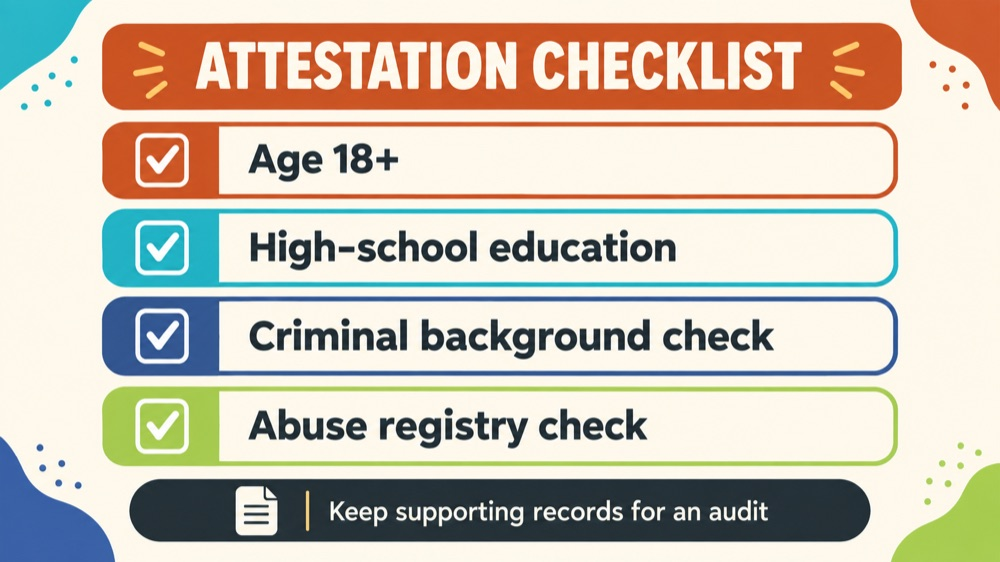
Check that the applicant name, attestor name, credential information, organization relationship, required confirmations, signatures, and dates are present. Confirm that no field says ‘see attached’ when the portal expects the answer on the form. Look at the bottom of every page for cropped text or a missing page number.
Open the PDF after saving it. Some scanners rotate pages, flatten electronic signatures, or create a file that looks readable in a preview but is blank when opened. Use the exact file you intend to upload for the final review.
Verify the timing fields
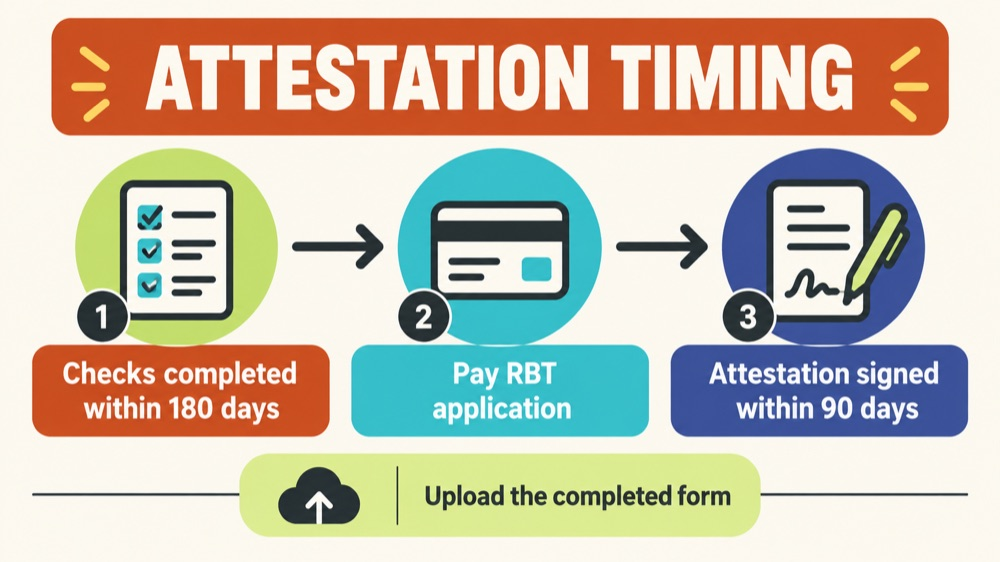
The current attestation form describes timing relationships for checks, application payment, signature, and upload. Read the current form carefully because the timing of a background check or abuse registry check is not the same question as the date the attestor signs. Put each date in a small timeline instead of relying on one ‘attestation date.’
If a document falls outside the stated window, stop and ask for current guidance. Do not alter a date on the form or upload an explanation that contradicts the official instructions. A new check or new form may be necessary.
Keep a submission record
After uploading, save the portal confirmation, upload timestamp, filename, and any receipt or reference number. Keep the exact final PDF that was submitted. If the portal replaces the file or shows a different status, the record can establish what was actually uploaded.
Store the file securely with the supporting records that the attestor may need for an audit. The current form describes a record-retention expectation; follow the current form and organization policy, and limit access to people who are authorized to handle the information.
Fixing an upload problem
If the portal rejects the file for size, format, or readability, correct the file without changing the underlying statements. If a signature, credential, or date is wrong, return the form to the person responsible for that field. Do not edit a signed document secretly or replace a page without preserving the complete corrected version.
When re-uploading, use a new filename that makes the correction clear and save the new confirmation. If the portal does not permit replacement, follow its official support process rather than creating a second application to work around the problem.
Frequently asked questions
Can a phone photo be uploaded? Only if the current portal accepts it and every field is clear. A properly generated PDF is usually easier to review and retain.
Should supporting records be uploaded with the attestation? Upload only what the current portal requests; retain other records according to the form and organization instructions.
Does a successful upload mean the attestation is approved? No. Upload confirms delivery, not eligibility approval.
How to keep the decision clear
Before you close the file, write one sentence stating what the record proves and one sentence stating what it does not prove. For example, a training record can show completion, but it cannot by itself show that an application was approved. A signed form can show that an attestor made a confirmation, but it cannot replace a missing eligibility document. A calendar can show the dates you planned, but it cannot change an official deadline. This small distinction keeps a useful checklist from becoming an unsupported promise.
Save the current official source with the review date, then set a reminder to recheck it if your application or recertification cycle continues. Forms, handbook language, fees, portal instructions, and processing information can change. When a source changes, update the plan and preserve the earlier record rather than silently rewriting history. That approach makes the file easier for the applicant, provider, attestor, or assessor to understand later.
When the review is complete, record the next action, the person responsible for it, and the date you intend to revisit it. If the next action depends on an official response, label it as waiting rather than complete. If the next action is a document correction, keep the correction request with the file. This turns the article’s advice into a small workflow that can be checked by someone else without reinterpreting the whole history.
Keep the review brief enough to repeat. A dated checklist, a source link, and a clearly named next action are more useful than a long note with no owner. If another person takes over the file, they should be able to understand the status without changing any original record.
If the record is shared with a provider, attestor, assessor, or organization administrator, share only the portion needed for that person’s task. Keep a private note of what was sent, when it was sent, and whether a correction was requested. This is a practical privacy measure as well as a quality check: it reduces the chance that an old draft, a duplicate file, or an unrelated personal document is used by mistake.
Use the same review method whenever a date, form version, or portal instruction changes. First identify the official source, then compare the source with the saved record, then document the decision and next action. If the source is unclear, mark the item as needing confirmation. A transparent “waiting for confirmation” note is safer than filling in an uncertain answer and treating it as a completed requirement.
When possible, have a second person perform a visual check without changing the substance. A fresh review often catches a missing page, a mismatched name, an unreadable scan, or a date entered in the wrong field. Keep the reviewer’s note separate from the official form so the original record remains intact.
Source and scope: This is an educational summary of public BACB guidance, not individualized certification, legal, immigration, employment, or financial advice. Check the current BACB Handbook, forms, portal instructions, and organization records before acting.