
The rbt portal transition guide is most useful when you treat the BACB account as the starting point for current tasks rather than relying on an old bookmark or a remembered form. In 2026, BACB pages direct users to the updated portal, the Portal Transition Guide, the Portal Knowledge Base, and the new portal tutorial for account and submission questions.
Table of Contents
- What the transition guide is for
- The rbt portal transition guide workflow
- How to choose the right support route
- Common transition mistakes
- A final submission check
- Frequently asked questions
- Official sources and scope
RBT portal and account-navigation guide
RBT Portal Transition Guide: What Changed in 2026
Use the updated BACB account as the starting point for current RBT tasks, document submissions, support questions, and issue reports.
The rbt portal transition guide is most useful when you treat the BACB account as the starting point for current tasks rather than relying on an old bookmark or a remembered form. In 2026, BACB pages direct users to the updated portal, the Portal Transition Guide, the Portal Knowledge Base, and the new portal tutorial for account and submission questions.
This article explains navigation and preparation. It does not change an account, submit a document, promise a processing result, or replace the current RBT Handbook and official instructions.
What the transition guide is for
A portal transition changes where a user signs in, finds a task, uploads a document, checks a message, or asks for help. The practical risk is not only technical. A person may complete the wrong task, send a file through an outdated route, miss an account message, or assume that a successful upload means the document has been accepted.
BACB’s current RBT resource page lists the Portal Transition Guide alongside the Handbook and other certification resources. Its support pages also direct users to the Portal Knowledge Base and new portal tutorial. Those resources are navigation authorities. Use this article as a preparation checklist, then confirm the exact menu, file requirement, and deadline in the current BACB account.
The rbt portal transition guide workflow
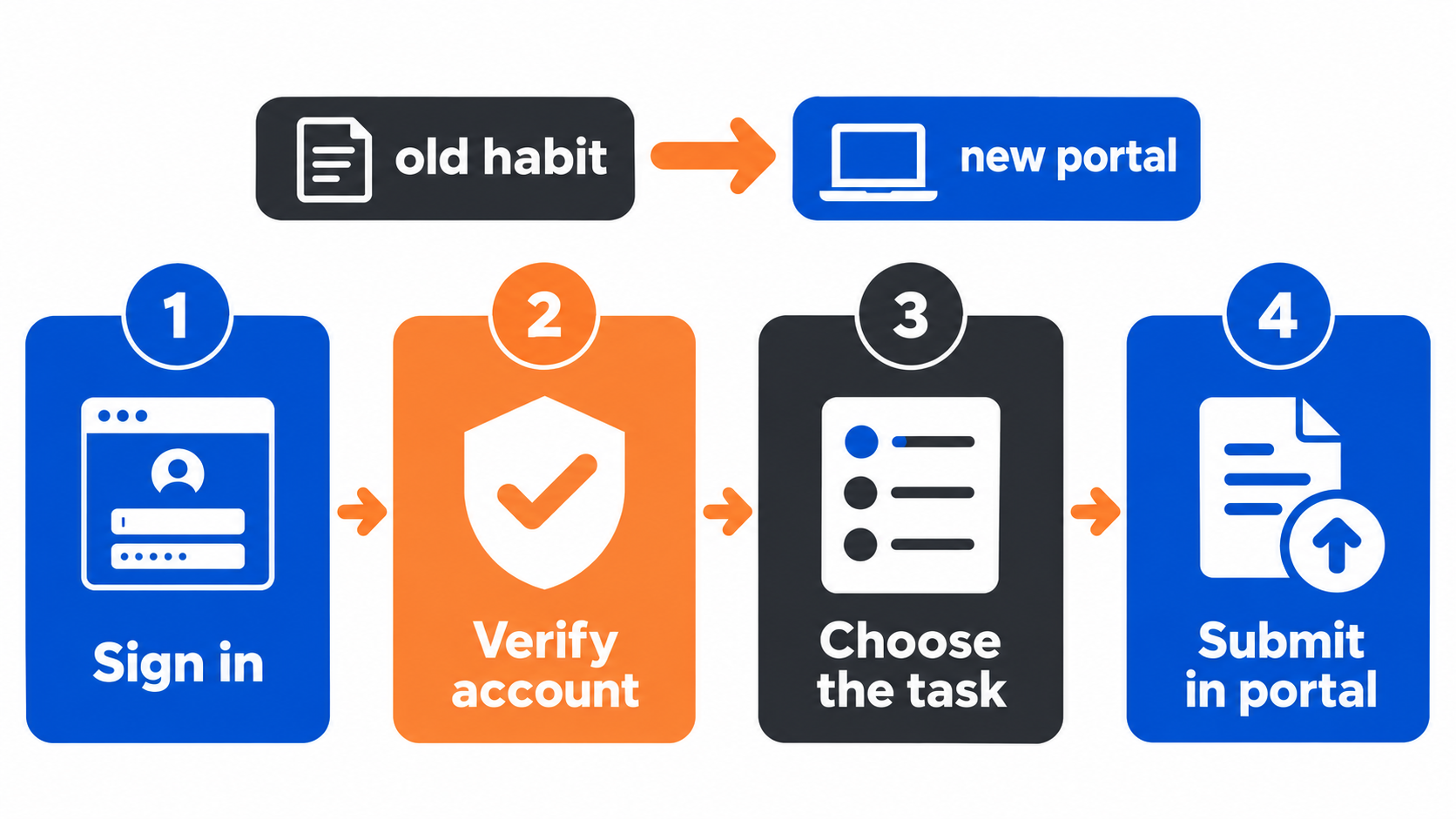
A reliable transition workflow has four stages. The labels may change as the portal develops, but the logic helps prevent the most common mistakes.
- Sign in through the current BACB route. Start at the current BACB website and account link. Avoid entering credentials into a link copied from an old email, a social post, or a third-party guide. If access fails, use the account-help route rather than creating a second account without instructions.
- Verify the account and task. Check the name, email, certification or application context, and the action you intend to take. Read the task description before uploading anything. “Submit a document,” “ask a question,” “apply,” “recertify,” and “report an issue” are different actions.
- Prepare the exact file or information. Use the current Handbook, packet, form instructions, and portal prompts. Check the file type, page completeness, signature or attestation requirement, and whether the document belongs to the RBT account holder. Keep a secure copy of what you submit.
- Submit in the portal and preserve confirmation. Follow the final review screen, submit once through the correct route, and save the confirmation or reference information. A confirmation of submission is not automatically an approval. Watch the account and email for follow-up requests.
How to choose the right support route
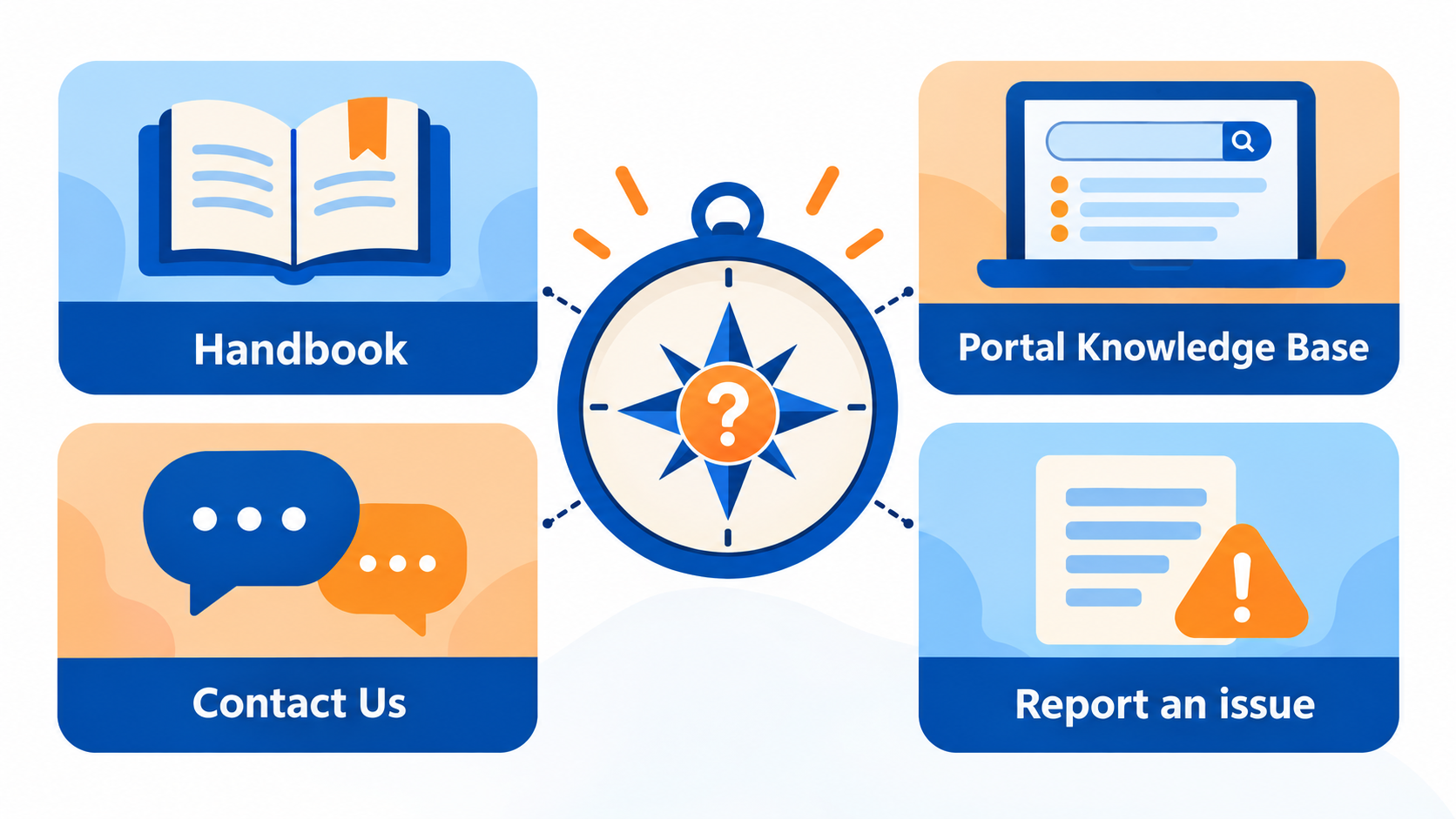
Not every question belongs in the same form. Start with the current resource that matches the problem.
Handbook questions
Use the current RBT Handbook for certification eligibility, maintenance, supervision, recertification, and document requirements. A training provider’s checklist can help with preparation, but it should not override the current BACB Handbook.
Navigation questions
Use the Portal Transition Guide, Portal Knowledge Base, or new portal tutorial when the problem is where to click, how a task is labeled, or which portal area contains a submission. Search the current knowledge base before assuming an old email or screenshot still describes the interface.
Account or technical issue
Use the official contact or report-an-issue route when you cannot access the account, a task is missing, a page does not load, or a submission behaves unexpectedly. Include the relevant account information requested by BACB, but do not send passwords or unnecessary client information.
Document submission
Current BACB support pages direct users to complete document submissions through the portal account. Follow the task-specific prompt, not a general contact form, unless the current instructions say otherwise. Separate a document submission from a question so the request can be routed correctly.
Common transition mistakes
Using an old bookmark as the authority
Old pages may still appear in search results or browser history. Check the current BACB site before using a form, and confirm that the page is intended for the exact task you need.
Creating multiple accounts
Do not create another account simply because a login or task is confusing. Duplicate accounts can make identity verification and record matching harder. Use the official account-help or contact route for access problems.
Uploading the wrong document
A file can be complete but still belong to the wrong packet, certification cycle, or task. Compare the document name, effective date, signer, and portal prompt before submitting. Do not treat a generic template as a replacement for the current official packet.
Assuming upload equals approval
Keep the submission confirmation, then monitor for a status change or follow-up request. If the BACB asks for more information, answer through the account route and follow the stated deadline.
A final submission check
Before pressing submit, confirm five items: you are in the correct account; the task matches your purpose; the document is the current version; required information and signatures are present; and you know where to find the confirmation afterward. Remove unnecessary personal or client information from files unless the official task requires it.
If the portal displays an error, capture the error message without exposing passwords or client details. Record the date, task, browser or device, and steps already tried. Then use the official support route. A clear factual report is more useful than repeatedly clicking submit or sending the same file to multiple forms.
Frequently asked questions
Is the portal transition only for new RBT applicants?
No. The current BACB portal resources are relevant to applicants and certificants who need to manage account tasks, submissions, maintenance, or support. The exact action available depends on the person’s account and current instructions.
Can I use an old BACB form if I already downloaded it?
Do not assume it is current. Check the task prompt, effective date, Handbook, and current official resource before submitting. If you are unsure, ask through the official route.
What if I cannot find the document-submission option?
Read the current Portal Transition Guide and Knowledge Base, confirm that you are in the correct account, and use the official contact or report-an-issue path if the task remains unavailable. Do not send the document to an unrelated form.
Does a successful upload mean the BACB approved my application?
No. Upload or submission confirmation only shows that the system received the action. The BACB’s review and any follow-up determine the next status.
Official sources and scope
This article was checked against the BACB RBT resource page, the BACB contact page, the current support instructions, and the RBT Handbook. Portal labels and transition instructions may change. Use the current official page and your account-specific instructions for a live submission.
Ready to practice the RBT concepts you just reviewed?
Try an independent, original RBT practice resource with exam-style questions, scoring, and answer explanations.
References
- Behavior Analyst Certification Board. RBT Test Content Outline, 3rd edition.
- Behavior Analyst Certification Board. RBT Handbook.
- Behavior Analyst Certification Board. RBT Ethics Code.